
Short answer: A chiptuning file is a modified copy of the original software ("map") from a car's engine control unit (ECU). It is made in six steps: identify the ECU, read and back up the original file, check that the car is healthy, change the maps that control torque, boost and fuel, correct the checksum, then write the file and test the car with a datalog. A good Stage 1 file on a turbo diesel typically adds 20–30% power while staying within the safe limits of the turbo, injectors and clutch.
This guide is written by the team behind Auto Oprema, a car-repair channel from Serbia, and fromserbia.rs, where we sell chiptuning files and tuning software. New to the topic? Start with What is chiptuning and chiptuning files?
Step 1: Identify the ECU
Every tuning file is made for one exact ECU hardware and software version, so identification comes first. Two cars of the same model can have different software, and a file for the wrong version will not work.
- ECU make and type, for example Bosch EDC17C46, Bosch MED17.5, Siemens/Continental SID803, Delphi DCM3.5, Marelli IAW.
- Hardware number (HW), printed on the ECU label. On Bosch units it starts with 0281 for diesel and 0261 for petrol ECUs.
- Software number (SW), read with a diagnostic tool or from the file itself. On Bosch units it usually starts with 1037.
- Engine code and power, for example 1.9 TDI BKC 105 hp or 2.0 TDI CFFB 140 hp.
When you order a file from us, these numbers are what we match. Our chiptuning files by brand are listed with their hardware and software numbers for this reason.
Step 2: Read the original file and back it up
The original file is read from the ECU with a programming tool. Which method you use depends on the ECU and on how well it is protected.
| Method | How it works | When it is used |
|---|---|---|
| OBD | Through the diagnostic socket, ECU stays in the car | Fastest; works on many older and some newer ECUs |
| Bench | ECU removed, powered on the table through its connector | When OBD is locked or a full read is needed |
| Boot mode | ECU opened, a boot pin forces the processor into programming mode | Protected ECUs, recovery of a failed write |
| BDM / JTAG | Probes on debug pads on the circuit board | Older Motorola-based ECUs and some newer protected units |
Before you change anything, save the full original read (flash and, where possible, EEPROM) in two places. If anything goes wrong later, the original file is the only way back to factory settings. Tool choice and setup are covered in What do I need for an independent power increase?
Step 3: Check the car before tuning
A tuning file cannot fix a worn engine; it only adds load to it. More boost on a leaking turbo or a dirty intercooler means smoke, limp mode and broken parts. Before writing any file, check at least these three things.
1. Turbocharger
No axial (in-and-out) shaft play, only slight radial play, and no oil leaking from the turbo itself. Oil in the intake often comes from the crankcase breather, not the turbo.

▶ Watch on YouTube: How to Check a Turbocharger: Oil in the Turbo, Shaft Play and Leaks
2. Intercooler and boost pipes
Oil inside the intercooler, or a split hose, causes boost loss that the new file will try to compensate. Clean it with water only, never with diesel or chemicals.

▶ Watch on YouTube: Intercooler Explained: Why There Is Oil Inside and How to Clean It
3. MAF sensor
The ECU uses airflow to calculate how much fuel it may inject. A weak MAF gives low power before the tune and black smoke or limp mode after it.
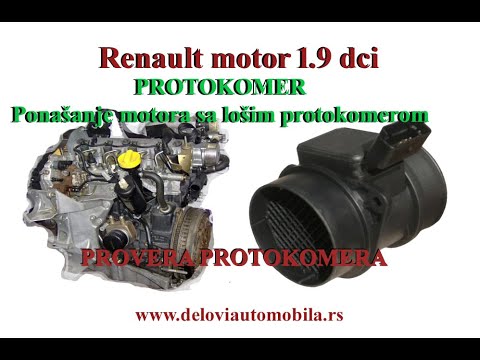
▶ Watch on YouTube: Bad MAF Sensor Symptoms and How to Test a MAF Sensor
Also read stored fault codes, and check the clutch: a slipping clutch will not survive 30% more torque. On cars with a dual-mass flywheel, check it as well.
Step 4: Modify the maps
The file is opened in a map editor, where the tuner finds the maps (tables) the ECU uses and changes their values. A good file changes several linked maps together, in small steps, rather than just raising one number.
| Map | What it controls | Diesel | Petrol turbo |
|---|---|---|---|
| Driver's wish / torque request | How much torque the ECU asks for at each pedal position | Yes | Yes |
| Torque limiters | The maximum torque allowed, often per gear | Yes | Yes |
| Smoke limiter | Maximum fuel allowed for the measured airflow | Yes | No |
| Boost target and boost limiter | Turbo pressure the ECU aims for, and the cut-off point | Yes | Yes |
| Injection quantity and duration | How much fuel is injected and for how long | Yes | Via lambda / load |
| Rail pressure | Fuel pressure in the common rail | Yes | Direct-injection engines |
| Injection / ignition timing | When fuel is injected (diesel) or the spark fires (petrol) | Injection timing | Ignition timing |
The skill is in staying inside safe limits: exhaust gas temperature, turbo speed, smoke and clutch torque. Our Specifics for chipping Bosch EDC17 page covers the most common diesel ECU in more detail. The editing software itself is in our chiptuning software category.
Step 5: Correct the checksum
The ECU calculates a checksum over its software to check that nothing is corrupted. After any map change, the stored checksum no longer matches. If you write the file without correcting it, the car will usually not start, or the ECU will refuse the file.
Checksum correction is done in the map editor with a checksum module, or automatically by some programming tools while writing. Always confirm the checksum is corrected before you write; on some ECUs a wrong checksum means the unit must be recovered in boot mode.
Step 6: Write the file and test the car
- Connect a stable battery charger: a voltage drop during writing is the most common cause of a damaged ECU.
- Write the modified file with the same tool and method you used to read it.
- Switch the ignition off and on, clear fault codes, and start the engine.
- Do a road test with a datalog. Compare requested and actual boost, rail pressure and airflow, and watch for smoke. On petrol engines, check for ignition knock retard.
- If the actual values do not follow the requested ones, find the cause before adding more power.
Keep the original file with the customer's records, so the car can always be returned to stock.
How much power does a Stage 1 file add?
Stage 1 means software only, on an otherwise stock car. The ranges below are typical for healthy engines; the exact result depends on the engine and its hardware.
| Engine type | Typical power gain | Typical torque gain | Example |
|---|---|---|---|
| Turbo diesel (common rail) | +20–30% | +20–35% | 2.0 TDI 140 hp → about 170 hp |
| Turbo diesel (pump-injector, older) | +20–25% | +20–30% | 1.9 TDI 105 hp → about 130 hp |
| Turbo petrol | +15–30% | +20–35% | 1.4 TSI 122 hp → about 150 hp |
| Naturally aspirated petrol | +3–8% | +3–8% | Usually not worth it |
Legal note. Changing ECU software can affect type approval, insurance and warranty, and in many countries a power change must be registered. Removing or disabling the DPF, EGR or other emission systems is not legal on public roads in the EU and many other countries; such changes are intended only for off-road and motorsport vehicles. Check the rules in your country before you tune a road car.
Frequently asked questions
Can I use a tuning file made for another car of the same model?
Only if the ECU hardware and software numbers are identical. Otherwise the file may not write, or the engine may run badly.
Is chiptuning bad for the engine?
A moderate Stage 1 file on a healthy engine is generally safe. Damage usually comes from aggressive files, or from tuning a car with a worn turbo, clutch or injectors.
Can the car be returned to stock?
Yes, by writing back the original file you saved in Step 2. This is why the backup matters.
Can chiptuning be done through the OBD socket?
On many ECUs, yes. Newer or protected ECUs often need bench or boot-mode reading.
What is a checksum and why does it matter?
It is a control value the ECU uses to check its software. It must be corrected after every change, or the car may not start.
Does a tuning file increase fuel consumption?
In normal driving, a diesel Stage 1 often uses the same or slightly less fuel. Consumption goes up if you use the extra power often.
Get your chiptuning file
- Ready-made files: chiptuning files by brand, listed by hardware and software number.
- A file for your exact ECU: individual ECU tuning files.
- Send us your original read and we modify it: ECU map modification service.
- Do it yourself: chiptuning software, with installation help over AnyDesk.
Not sure which file fits your car? Contact us with the ECU hardware and software numbers, and watch more practical car-repair videos on the Auto Oprema YouTube channel.